
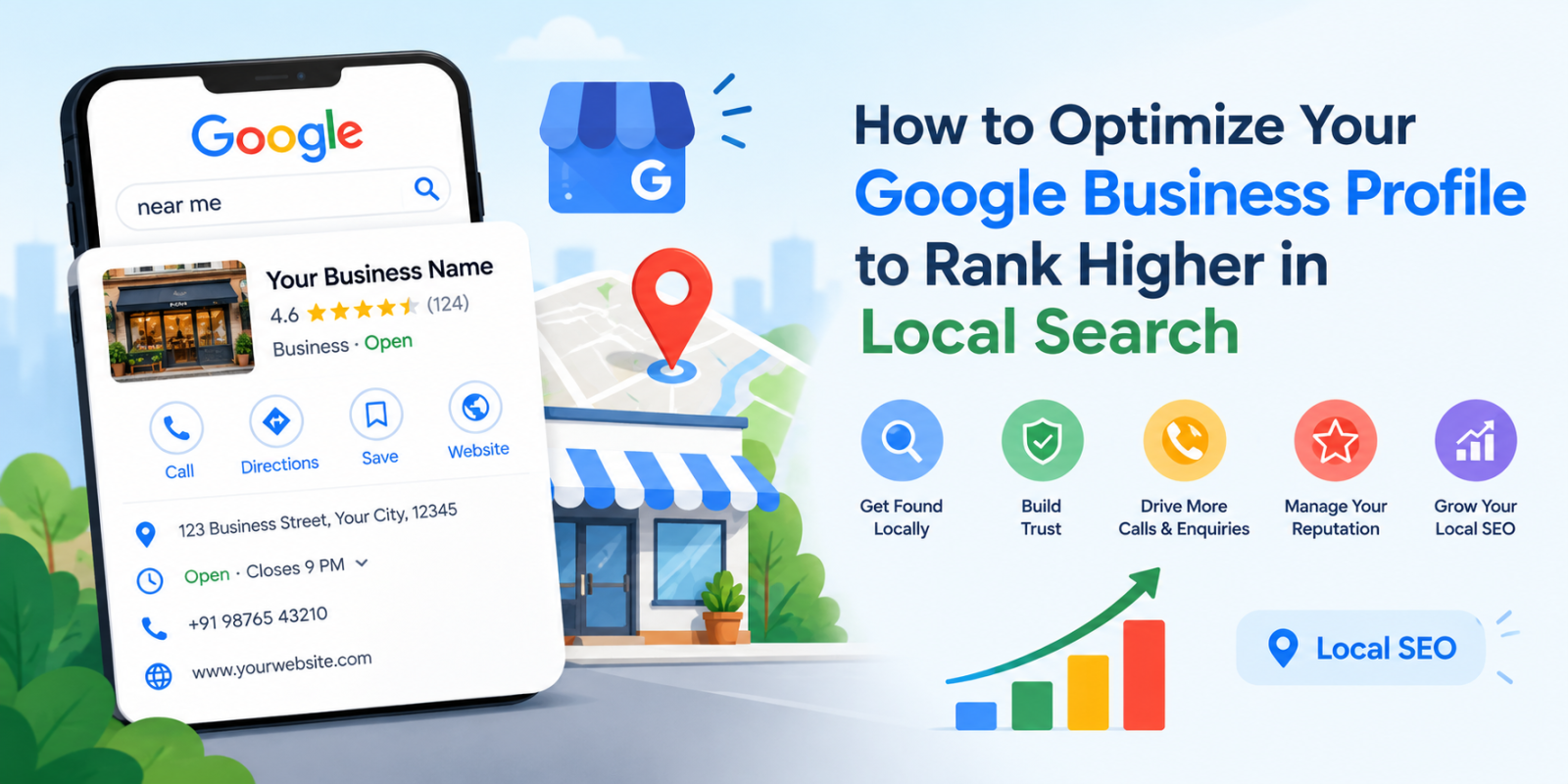
When customers search for products or services near them, they often turn to Google Search and Google Maps to find reliable local businesses. Whether you own a restaurant, retail store, consultancy, healthcare practice, or home service company, appearing prominently in local search results can help you reach potential customers at the right time.
However, simply creating a Google Business Profile is not enough. You need to optimize your business information, select the right categories, upload relevant photos, manage customer reviews, and keep your profile updated.
Google Business Profile optimization is an essential part of a local SEO strategy. It helps Google understand your business and enables potential customers to find accurate information about your products, services, location, and operating hours.
In this guide, we will explain how to optimize your Google Business Profile step by step, improve your local search visibility, avoid common mistakes, and manage your online presence more effectively.
What Is Google Business Profile Optimization?
Google Business Profile optimization is the process of improving and maintaining your business listing so that customers can discover your business through Google Search and Google Maps.
A Google Business Profile displays important information such as:
- Business name and category
- Address or service area
- Phone number and website
- Business hours and holiday hours
- Products and services
- Customer reviews and ratings
- Photos and videos
- Business updates and offers, where available
A complete and accurate profile helps potential customers understand what your business offers and how they can contact you.
Google identifies three main factors that influence local search rankings: relevance, distance, and prominence. Optimizing your profile can help improve relevance and provide accurate information, but rankings also depend on the searcher's location and other factors. No optimization method can guarantee a particular ranking position.
Why Is Google Business Profile Optimization Important for Local SEO?
Local SEO helps businesses become more visible when people search for nearby products and services. An optimized Google Business Profile supports this process by making essential business information accessible directly through Google.
Here are some important benefits of Google Business Profile optimization.
1. Improve Local Search Visibility
An accurate, detailed profile helps Google understand your business and match it with relevant local searches.
For example, a person searching for an electrician in Ahmedabad may discover local businesses with relevant categories, service information, and locations.
Although optimization does not guarantee a top position, it helps establish a stronger foundation for local search visibility.
2. Build Trust With Potential Customers
Customers often compare several businesses before making a decision. Complete business details, genuine customer reviews, recent photos, and professional responses can help people evaluate your business more confidently.
3. Generate More Calls and Enquiries
Your Google Business Profile can help customers take action by visiting your website, calling your business, requesting directions, or exploring your services.
Accurate contact details and clear service information reduce the effort required for customers to reach you.
4. Strengthen Your Online Reputation
Customer reviews provide useful feedback and help potential customers understand other people's experiences with your business.
Responding to reviews professionally demonstrates that your business values customer feedback and takes concerns seriously.
5. Support Your Overall Local SEO Strategy
Google Business Profile optimization works alongside other local SEO activities, including website optimization, locally relevant content, quality backlinks, and consistent business information across relevant directories.
Together, these activities help establish a credible online presence.
How to Optimize Your Google Business Profile Step by Step
Follow these practical steps to improve your profile and create a better experience for potential customers.
Step 1: Claim and Verify Your Google Business Profile
Before making significant improvements, ensure that you own or are authorized to manage your business profile.
Visit the Google Business Profile website to create or claim your listing and follow Google's verification instructions.
Verification helps establish that you are authorized to represent the business. The available verification method depends on Google's requirements for your business.
Optimization tip: Use a business account with appropriate ownership and management access. Keep verification information secure and never share verification codes with unauthorized individuals.
Step 2: Choose the Right Business Category
Selecting the correct primary business category is one of the most important steps in Google Business Profile optimization.
Your primary category should describe the main activity of your business as accurately as possible.
For example:
- A company primarily selling flowers may select a florist category.
- A business focused on plumbing services may select a plumber category.
- A restaurant should select the category that most accurately describes its establishment.
You can add relevant secondary categories when they genuinely represent other activities your business provides.
Avoid selecting unrelated categories simply because they appear to offer more keyword opportunities. Your categories should reflect your actual business.
Step 3: Keep Your Business Information Accurate
Complete and consistent information makes it easier for customers to contact you and understand your business.
Review the following details regularly:
Business name: Use your real-world business name as it appears on your signage and branding. Avoid adding unnecessary keywords, locations, or promotional phrases.
Address: Enter an accurate business address if customers can visit your location and your business is eligible to display it.
Phone number: Provide a working business phone number that customers can use to contact you.
Website: Link to your official website or the most relevant page for your business.
Business hours: Keep your normal operating hours updated and add special hours for holidays or temporary closures.
Service areas: If your business travels to customers, configure the service area according to Google's eligibility and address-display guidelines.
Accurate information reduces customer confusion and supports a reliable online presence.
Step 4: Write a Clear and Informative Business Description
Your business description should explain what your company does, whom it serves, and what makes its offerings useful to customers.
Write naturally instead of repeating the same keywords throughout the description.
For example, a local digital marketing agency could describe its services as follows:
"Our digital marketing agency helps businesses strengthen their online presence through search engine optimization, website optimization, content marketing, and local search strategies. We work with businesses to improve discoverability, connect with relevant audiences, and build a stronger digital foundation."
Use only statements that accurately describe your business.
Avoid promotional claims, misleading information, links, and unnecessary keyword stuffing in the description.
Step 5: Add Relevant Photos and Videos
Photos help potential customers understand your business before visiting or contacting you.
Depending on your business type, consider uploading:
- Your business logo and a suitable cover photo
- Exterior photos that help customers recognize your location
- Interior photos of your premises
- Products and completed projects
- Your team at work
- Relevant service demonstrations
Use clear, authentic images that represent your actual business. Avoid misleading stock photos or heavily edited images that do not reflect the customer experience.
For a service-based business, genuine project photos can help demonstrate the type of work you perform. For a retail business, product photos can give customers a better understanding of your offerings.
Upload new photos when you have meaningful updates rather than adding images solely to meet an arbitrary posting frequency.
Step 6: Add Your Products and Services
If the relevant features are available for your business category, use your profile to explain the products and services you offer.
For services, provide clear names and descriptions that explain what customers can expect.
For products, include accurate information, relevant images, and pricing where supported and appropriate.
For example, a local SEO agency might organize its services around:
- Local SEO audits
- Google Business Profile optimization
- Local keyword research
- Citation management
- Review management
- Local SEO reporting
Only list services that your business actually provides.
Detailed service information can help potential customers understand your offerings and determine whether they meet their needs.
Step 7: Encourage Genuine Customer Reviews
Customer reviews are an important part of online reputation management. They help prospective customers evaluate your business and can contribute to your local prominence.
Develop a consistent process for inviting customers to share honest feedback after a genuine interaction with your business.
You can:
- Share your official Google review link after completing a service.
- Send a polite follow-up message to customers.
- Include a review request in appropriate customer communications.
- Make the review process simple and convenient.
Avoid buying reviews, offering incentives in exchange for reviews, or asking only satisfied customers to leave feedback. These practices can violate Google's review policies.
Remember: Authentic reviews are more valuable for sustainable reputation management than artificial rating improvements.
Step 8: Respond to Positive and Negative Reviews
Review management should include responding to customer feedback, not simply collecting ratings.
For positive reviews, thank the customer and acknowledge their experience.
For negative reviews, remain professional, address the concern where possible, and offer an appropriate way to resolve the issue privately.
For example:
"Thank you for sharing your feedback. We are sorry to hear that your experience did not meet your expectations. We would appreciate the opportunity to understand your concern and work toward a suitable resolution. Please contact our team so we can assist you."
Avoid sharing private customer information or responding aggressively.
Regular, thoughtful responses can help demonstrate your commitment to customer service.
Step 9: Publish Relevant Google Business Profile Posts
Where posting features are available, use Google Business Profile posts to communicate useful and timely information to customers.
You can share:
- Business announcements
- New products or services
- Upcoming events
- Seasonal offers
- Important operational updates
- Useful information about your services
Keep each post clear, accurate, and relevant to your audience. Include an appropriate image and call to action when supported.
For example, a local home improvement company might publish a post explaining its available renovation services or announcing a seasonal consultation offer.
Posting should serve a customer communication purpose. Do not assume that publishing every day or inserting keywords into every post will automatically improve rankings.
Step 10: Add Relevant Business Attributes
Depending on your category and location, Google may allow you to display attributes that describe your business.
Examples can include accessibility information, available amenities, or service options.
Select only the attributes that accurately reflect your business.
These details help potential customers determine whether your business meets their needs and may make your listing more informative.
Step 11: Keep Your Profile Updated
Google may receive information from business owners, customers, public sources, and other sources. As a result, some profile details can change or require review.
Check your profile periodically to ensure that your information remains accurate.
Pay attention to:
- Changes to your business hours
- Phone number or address updates
- Customer-suggested edits
- Business category changes
- New or missing photos
- Review activity
- Profile notifications and verification issues
If you discover an incorrect update, review the available editing options and correct the information where possible.
Maintaining accurate information is an ongoing responsibility, not a one-time task.
How Can You Improve Your Google Maps Ranking?
Google Maps visibility depends on several factors, and no single optimization technique guarantees higher rankings.
However, the following practices can support a stronger local SEO strategy.
Focus on Local Search Relevance
Understand the services your customers search for and make sure your website and Business Profile describe your actual offerings clearly.
Use relevant service descriptions and develop useful website content that answers local customers' questions.
Avoid adding locations or keywords that do not accurately represent your business.
Maintain a Consistent Business Identity
Use accurate business details across your website, Google Business Profile, and relevant business directories.
Pay particular attention to your business name, address, and phone number where applicable.
Correct outdated listings and resolve duplicate entries when appropriate.
Build a Helpful Local Website
Your website should clearly explain your services, service areas, contact details, and business credentials.
For businesses serving specific cities or neighborhoods, create genuinely useful local landing pages where they add value.
Avoid creating large numbers of near-identical location pages with little unique information.
Earn Relevant Local Links and Mentions
Build relationships with legitimate local organizations, industry associations, suppliers, and community websites when there is a genuine reason to collaborate.
Relevant mentions and quality backlinks can help strengthen your website's online presence.
Avoid purchasing spammy links or participating in manipulative link schemes.
Encourage Authentic Customer Feedback
Provide good service and make it easy for all eligible customers to share honest reviews.
Monitor customer sentiment and use feedback to improve your services.
Remember that review management should follow Google's policies and should not involve fabricated engagement.
What Are the Most Common Google Business Profile Optimization Mistakes?
Even businesses with established profiles can make mistakes that reduce the accuracy or usefulness of their listings.
1. Keyword Stuffing in the Business Name
Adding extra keywords or city names to a business name when they are not part of the real-world name can violate Google's guidelines.
Use your actual business name.
2. Choosing Irrelevant Categories
Selecting categories that do not accurately describe your business can confuse customers and weaken the relevance of your listing.
Choose the most appropriate primary category and add only relevant secondary categories.
3. Ignoring Customer Reviews
Leaving customer feedback unanswered can create a poor impression.
Develop a review response process that helps your team respond professionally and address recurring concerns.
4. Using Incorrect Business Information
Outdated hours, incorrect phone numbers, and inconsistent addresses can frustrate potential customers.
Schedule periodic profile checks and update information whenever business details change.
5. Creating Duplicate Profiles
Multiple profiles for the same eligible business location can create confusion and lead to management problems.
Review Google's duplicate-profile guidelines and use the appropriate process to resolve duplicates instead of creating additional listings unnecessarily.
6. Expecting Immediate Ranking Improvements
Google's local search results depend on relevance, distance, prominence, and other ranking signals.
Even a well-optimized profile may not appear at the top for every search or location.
Focus on accurate information, customer experience, and consistent local SEO improvements rather than guaranteed-ranking promises.
How Can a Local SEO Tool Simplify Google Business Profile Management?
Managing local SEO activities manually can become challenging when you have several business locations, multiple clients, or frequent reporting requirements.
A local SEO tool may help organize important tasks, monitor available performance information, and identify areas that require attention.
When evaluating a local SEO tool, look for capabilities relevant to your business needs, such as:
- Local keyword and ranking tracking
- Business listing audits
- Citation monitoring
- Review monitoring and reporting
- Competitor research
- Local SEO performance reports
- Multi-location workflow support, where available
The exact features and integrations vary by platform, so verify what each tool currently supports before choosing one.
LocalSEOTool – Local SEO Tool can be explored as part of your local SEO workflow. Visit https://localseotool.in/ to learn more about the platform and assess whether its available features align with your local search management requirements.
A suitable tool can help make local SEO activities more organized, but it does not replace accurate business information, quality service, policy compliance, or Google's own ranking systems.
How Can You Measure the Performance of Your Google Business Profile?
Optimization is more effective when you track meaningful results over time.
Google Business Profile performance data, where available, can help you understand how customers discover and interact with your listing.
Consider monitoring the following metrics:
Search terms: Understand the queries through which customers discover your business, where this information is available.
Calls: Track customer calls attributed to your Business Profile.
Website clicks: Monitor visits to your website from the profile.
Direction requests: Review how frequently customers request directions to your location, where supported.
Review activity: Monitor new reviews, average ratings, and response practices.
Local search visibility: Track rankings for relevant search terms across appropriate locations using a consistent measurement method.
Compare performance over time instead of judging your results based on a single day. Search demand, competition, seasonality, and location can influence the numbers.
You can also use Google Analytics and Google Search Console to understand website traffic and organic search performance alongside your Business Profile data.
Frequently Asked Questions About Google Business Profile Optimization
1. How do I optimize my Google Business Profile for local SEO?
Start by claiming and verifying your profile. Select the most relevant business category, complete your business information, add accurate descriptions and photos, maintain your hours, collect genuine reviews, and respond to customer feedback. Review your profile regularly to keep it accurate.
2. How long does Google Business Profile optimization take to show results?
There is no fixed timeline for ranking improvements. Some profile edits may appear relatively quickly, while verification, content review, and changes in local search visibility may take longer. Ranking improvements depend on competition, location, relevance, prominence, and other factors.
3. Does Google Business Profile optimization improve Google Maps rankings?
Optimization can help Google understand your business and its relevance to local searches. However, Google Maps rankings also depend on distance, prominence, and other factors. No tool or optimization method can guarantee a top ranking.
4. How often should I update my Google Business Profile?
Update your profile whenever important business information changes. Review your hours, contact details, services, photos, and customer feedback regularly. Publish posts when you have useful announcements or information to share.
5. Are Google reviews important for local SEO?
Reviews contribute to customer trust and are one of the factors associated with local prominence. Authentic reviews and professional responses can support your reputation, but review quantity or ratings alone do not guarantee higher rankings.
6. Can I optimize my Google Business Profile without a website?
Yes. An eligible business can have a Google Business Profile without a website. However, a useful website can provide additional information about your business, services, location, and expertise, supporting your broader local SEO strategy.
7. What is the difference between Google Business Profile optimization and management?
Optimization focuses on improving profile accuracy, completeness, relevance, and usefulness. Management involves maintaining the profile over time, including updating business details, responding to reviews, adding photos, publishing relevant posts, and monitoring performance.
8. Can a local SEO tool automatically improve Google Business Profile rankings?
A local SEO tool may support activities such as monitoring rankings, auditing listings, and organizing reports, depending on its features. It cannot guarantee rankings or override Google's ranking systems. Business owners should verify a tool's capabilities before relying on it.
Conclusion
Google Business Profile optimization is an important part of building a strong local online presence. By maintaining accurate business information, choosing relevant categories, adding authentic photos, managing customer reviews, and monitoring performance, you can help potential customers discover and evaluate your business.
However, local SEO requires consistent effort. Your Google Business Profile should work alongside a useful website, relevant local content, a positive customer experience, and legitimate online reputation management practices.
If you want to make your local SEO workflow more organized, explore LocalSEOTool – Local SEO Tool at https://localseotool.in/ and review the available features to determine how they can support your business's local search strategy.