
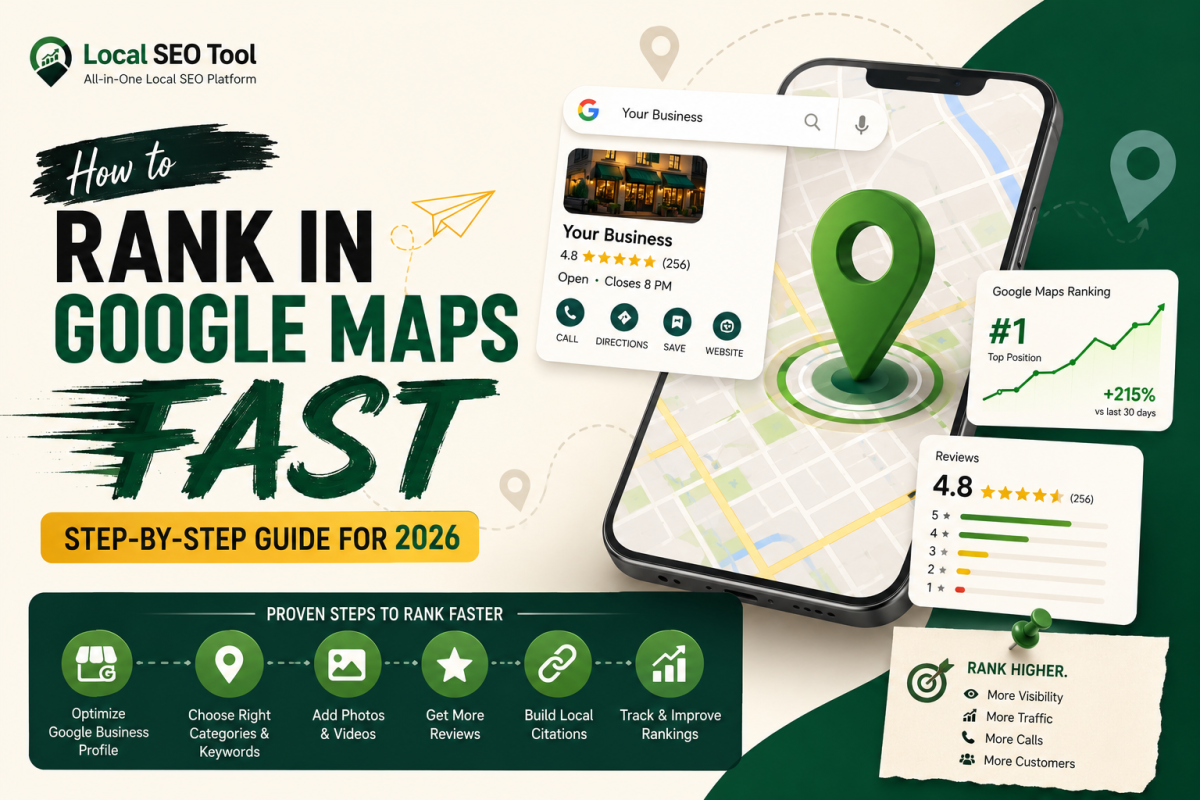
If you run a local business, ranking on Google Maps is like owning the busiest street corner in your city. When customers search for services “near me,” the businesses that appear in the Google Map Pack get the majority of clicks, calls, and foot traffic.
The good news? You don’t need a massive budget or years of SEO experience to rank. What you need is a clear, focused strategy and the right tools.
In this complete guide, you’ll learn how to rank in Google Maps fast using proven, up-to-date techniques. We’ll also show you how to use a Local SEO Tool to speed up your results and stay ahead of competitors.
What is Google Maps Ranking?
Google Maps ranking refers to where your business appears in local search results especially in the top 3 listings (also known as the “Map Pack”).
When someone searches:
- “dentist near me”
- “best cafe in Ahmedabad”
- “plumber in Mumbai”
Google shows a map with 3 businesses. If you’re not there, you’re missing out on high-intent customers.
How Google Maps Ranking Works (Simple Breakdown)
Google uses three main factors:
1. Relevance
How well your business matches the search query.
2. Distance
How close your business is to the searcher.
3. Prominence
How well-known and trusted your business is online.
Your job is to optimize all three.
Step-by-Step Guide to Rank in Google Maps Fast
Step 1: Fully Optimize Your Google Business Profile
Your Google Business Profile (GBP) is the foundation of your Maps ranking.
Do this immediately:
- Use your exact business name (no keyword stuffing)
- Select the correct primary category
- Add secondary categories
- Write a keyword-rich business description
- Add your services/products
- Upload high-quality images regularly
Pro Tip:
Use your target keywords naturally in:
- Description
- Services
- Posts
Step 2: Use the Right Keywords (Local Intent is Key)
Ranking in Maps is not about generic keywords it’s about local intent keywords.
Examples:
- “SEO agency in Ahmedabad”
- “best digital marketing company near me”
- “local seo services in India”
How to find them:
- Google autocomplete
- Competitor listings
- Keyword tools
- Your own Local SEO Tool (very useful for analysis)
Step 3: Add Consistent NAP Across the Internet
NAP = Name, Address, Phone Number
Google checks consistency across:
- Business directories
- Social media
- Your website
Important:
- Use the exact same format everywhere
- Avoid variations like:
- “St.” vs “Street”
- Different phone numbers
Where to list your business:
IndiaMART
- Sulekha
- Yelp
Consistency builds trust, and trust improves rankings.
Step 4: Get More Reviews (And Respond to Them)
Reviews are one of the strongest ranking factors.
What to do:
- Ask every customer for a review
- Send a direct review link
- Respond to all reviews (positive and negative)
Bonus Tip:
Include keywords in responses naturally:
“Thank you for choosing our local SEO services in Ahmedabad…”
Step 5: Add Photos and Videos Regularly
Businesses with more activity rank higher.
Upload:
- Office photos
- Team photos
- Before/after work
- Customer interactions
- Short videos
Why this matters:
Google sees your profile as active and trustworthy.
Step 6: Build Local Citations
Citations are mentions of your business online.
Types:
- Directory listings
- Blog mentions
- News websites
Use a Local SEO Tool to:
- Find citation opportunities
- Track consistency
- Fix errors
This saves hours of manual work.
Step 7: Optimize Your Website for Local SEO
Your website plays a big role in Maps ranking.
Must-have elements:
- Location-based keywords
- Dedicated location pages
- Embedded Google Map
- Fast loading speed
- Mobile optimization
Example:
Create pages like:
- “Local SEO Services in Ahmedabad”
- “Digital Marketing Agency in Gujarat”
Step 8: Use Schema Markup (Local Business Schema)
Schema helps Google understand your business better.
Add:
- Business name
- Address
- Phone
- Opening hours
- Reviews
This improves your chances of ranking higher.
Step 9: Build Local Backlinks
Backlinks = trust signals.
Get links from:
- Local blogs
- News websites
- Business associations
- Event sponsorships
Smart strategy:
Write guest posts on local websites and include your business link.
Step 10: Post Regular Updates on Google Business Profile
Most businesses ignore this. Big mistake.
Post weekly:
- Offers
- Updates
- Tips
- Announcements
This keeps your profile active and boosts engagement.
Step 11: Track and Improve Using a Local SEO Tool
If you’re serious about ranking fast, you need data.
A Local SEO Tool helps you:
- Track keyword rankings
- Audit your listings
- Monitor competitors
- Fix NAP issues
- Analyze performance
Instead of guessing, you make decisions based on real insights.
Step 12: Optimize for “Near Me” Searches
“Near me” searches are exploding.
How to optimize:
- Use conversational keywords
- Add FAQs to your website
- Focus on mobile experience
Example:
“What is the best SEO agency near me?”
Answer these directly on your site.
Step 13: Improve Behavioral Signals
Google tracks how users interact with your listing.
Important signals:
- Clicks
- Calls
- Direction requests
- Time spent
How to improve:
- Add attractive photos
- Write compelling descriptions
- Use strong CTAs
Step 14: Spy on Competitors
Your competitors are already showing you what works.
Analyze:
- Their categories
- Number of reviews
- Keywords used
- Backlinks
Use your Local SEO Tool to reverse-engineer their strategy.
Step 15: Avoid Common Mistakes
Don’t:
- Use fake addresses
- Keyword stuff your business name
- Buy fake reviews
- Ignore negative reviews
These can harm your rankings or even suspend your listing.
Fast Ranking Checklist (Quick Summary)
- Optimize Google Business Profile
- Use local keywords
- Maintain NAP consistency
- Get more reviews
- Upload photos regularly
- Build citations
- Optimize website
- Use schema markup
- Build backlinks
- Stay active with posts
- Use a Local SEO Tool
How Long Does It Take to Rank?
If done correctly:
- Low competition: 2 - 4 weeks
- Medium competition: 1 - 3 months
- High competition: 3 - 6 months
Using a Local SEO Tool can significantly speed up the process.
Final Thoughts
Ranking on Google Maps is not magic it’s a system.
When you optimize your profile, build trust signals, and stay consistent, Google starts to see your business as the best answer for local searches.
Think of it like planting a digital flag in your city. The stronger your signals, the harder it is for competitors to take your spot.
And if you want to move faster, smarter, and with less guesswork, start using a Local SEO Tool to guide your strategy.
Ready to Rank Faster?
Start implementing these steps today, track your progress, and refine your strategy regularly.
If you stay consistent, your business won’t just appear on Google Maps it will dominate it.