
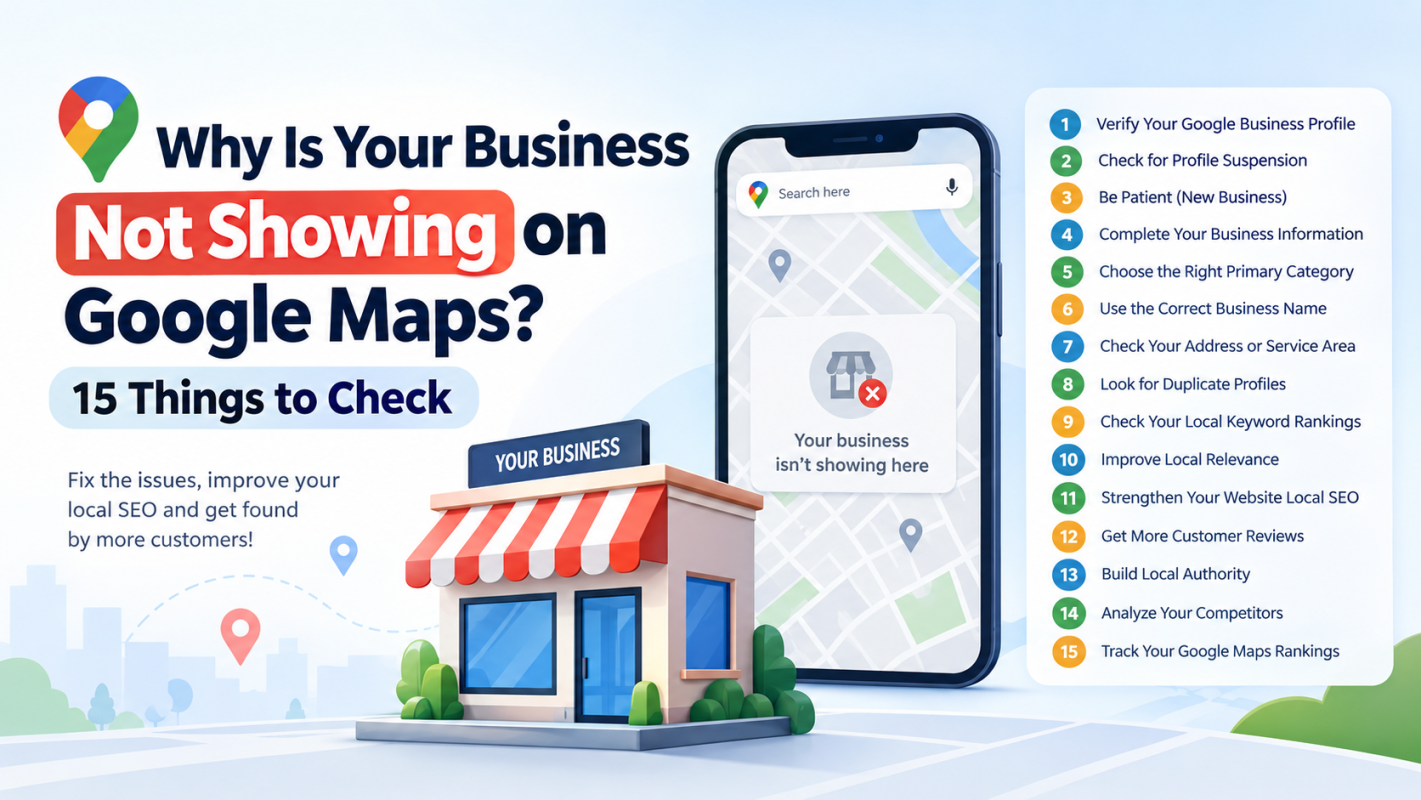
If your business is not showing on Google Maps, it can be frustrating—especially when customers are searching for the products or services you offer. You may have created and verified your Google Business Profile, added your address, uploaded photos, and even collected customer reviews, yet your business may still be difficult to find in Google Maps or local search results.
The important thing to understand is that being listed on Google Maps and ranking prominently on Google Maps are not the same thing.
A business may have a valid Google Business Profile but still appear low in local search results for important keywords. Google explains that local results are primarily influenced by relevance, distance, and prominence.
So, if your business is not showing when customers search for services near them, there could be an issue with your profile, business information, eligibility, local relevance, competition, or overall local SEO strategy.
In this guide, we'll explain 15 common reasons why your business is not showing on Google Maps and what you can check to improve your local visibility.
1. Your Google Business Profile Is Not Verified
One of the first things to check is whether your Google Business Profile has been verified.
Verification helps Google confirm that you are authorized to represent the business. Google states that only verified businesses can show their business information on Maps and Search.
If your profile has not completed verification, customers may not be able to find the business as expected.
What to check:
- Sign in to the Google account managing your profile.
- Open your Business Profile.
- Check whether Google is requesting verification.
- Complete the available verification process.
- Make sure the business information submitted during verification is accurate.
If your business is newly created, visibility may also take time. Google notes that rankings for new businesses can take up to a month to appear in search results.
2. Your Business Profile Is Suspended or Disabled
If your business suddenly disappears from Google Maps after previously appearing there, check whether the profile has been suspended or disabled.
Google Business Profile policies require businesses to accurately represent themselves and follow eligibility and content guidelines. Violations can result in restrictions or removal from Google.
Common problems can include:
- Incorrect business information
- Ineligible business models
- Duplicate profiles
- Incorrect business name
- Misleading information
- Address-related problems
- Policy violations
Log in to the Google account connected to the profile and look for notifications or warnings.
Do not immediately create another profile if an existing profile has been suspended. First identify the underlying issue and follow Google's available resolution process.
3. Your Business Is New
A newly created Business Profile may not immediately achieve strong visibility.
Even after your profile becomes available, ranking for competitive searches can take time. Google specifically notes that rankings for new businesses can take up to a month to appear in search results.
This doesn't mean you should simply wait.
During the early stages, make sure your profile is complete and accurate. Add relevant business information, appropriate categories, services, photos, and other useful details.
At the same time, begin building your broader local SEO presence.
Focus on:
- Google Business Profile optimization
- Relevant local keywords
- Local website content
- Customer reviews
- Consistent business information
- Local citations
- Relevant backlinks
- Local authority
4. Your Business Information Is Incomplete
An incomplete Google Business Profile can make it harder for Google to understand your business.
Google recommends keeping business information complete, accurate, and up to date to improve visibility in local search.
Review important fields such as:
- Business name
- Primary category
- Address
- Service area
- Phone number
- Website
- Business hours
- Services
- Attributes
- Photos
- Business description
Don't add information simply because you think it contains keywords.
The goal should be to provide accurate information that helps both Google and customers understand what your business actually does.
5. You Selected the Wrong Primary Category
Your primary category is an important relevance signal.
For example, if you operate a dental clinic but choose a broad or unrelated category, Google may have difficulty understanding which searches your business should appear for.
Your category should accurately represent your core business.
Google's guidelines also recommend choosing the fewest number of categories needed to describe your overall core business.
Before selecting a category, ask:
- What is my main service?
- What would customers search for to find my business?
- Does the selected category accurately represent the business?
- Are additional categories genuinely relevant?
Avoid choosing categories simply because they contain attractive keywords.
6. Your Business Name Is Not Optimized Correctly
Adding keywords to your Google Business Profile name may seem like an easy way to improve rankings.
However, Google's guidelines require the business name to reflect the real-world business name. Adding unnecessary information or keywords to the name can violate the guidelines and potentially create profile problems.
For example, a business shouldn't artificially turn:
ABC Dental
into:
ABC Dental | Best Dentist in Ahmedabad | Dental Clinic
unless that is genuinely how the business is represented in the real world.
Instead, use your actual business name and optimize other legitimate parts of your local SEO strategy.
7. Your Address or Service Area Is Incorrect
Location plays a major role in local search.
Google explains that distance is one of the primary factors used in determining local results.
If your address is incorrect, outdated, or doesn't accurately represent your business location, it can create visibility problems.
For service-area businesses, make sure your service area accurately represents where you actually provide services.
Also avoid using virtual locations or addresses that don't comply with Google's eligibility requirements.
Google's business eligibility guidelines state that businesses generally need to make in-person contact with customers during stated hours, subject to specific exceptions.
8. Your Business Has Duplicate Google Profiles
Multiple profiles for the same business can create confusion.
Google's guidelines state that there should generally be only one profile per business, as duplicate profiles can cause problems with how information displays on Google Maps and Search.
Check whether your business appears under:
- Different business names
- Old addresses
- Previous locations
- Different phone numbers
- Duplicate listings
- Multiple Google accounts
If you discover duplicates, don't simply create more profiles to increase visibility.
Instead, investigate the existing profiles and follow Google's processes for resolving duplicate listings and ownership issues.
9. Your Business Is Showing, but It Is Not Ranking for Important Searches
This is one of the most misunderstood situations.
You might search:
“ABC Business + city”
and find your profile.
But when you search:
“best service near me”
your business may not appear.
That doesn't necessarily mean your Google Business Profile is broken.
It can mean your business exists on Google Maps but isn't ranking strongly enough for the particular search.
Google's local ranking system considers relevance, distance, and prominence.
This is where local SEO becomes important.
You need to determine:
- Which keywords you rank for
- Which keywords you don't rank for
- Where you rank geographically
- Which competitors rank above you
- Which locations have weaker visibility
10. Your Local Relevance Is Weak
Google needs to understand what your business offers and which searches are relevant to it.
Suppose you operate a physiotherapy clinic.
You may want to appear for searches such as:
- physiotherapist near me
- physiotherapy clinic in [city]
- sports physiotherapist
- female physiotherapist
- back pain physiotherapy
Your website and Business Profile should clearly communicate the services you actually provide.
This doesn't mean stuffing every keyword into your profile.
Instead, develop useful, natural local content around your genuine services and areas of expertise.
Build relevance through:
- Service pages
- Location pages
- Helpful blog content
- Proper GBP categories
- Service descriptions
- Relevant internal links
- Consistent business information
11. Your Website Has Weak Local SEO Signals
Your Google Business Profile isn't the only part of your local search presence.
Your website can also support your local visibility.
A strong local website should clearly communicate:
- Who you are
- What you offer
- Where you operate
- How customers can contact you
- Why customers should choose your business
Consider creating dedicated pages for important services and legitimate service locations.
For example:
example.com/physiotherapy-ahmedabad/
could be more useful than placing every service and location on one generic homepage.
Your website should also provide a consistent connection between your business identity, services, location, and Google Business Profile.
12. You Have Few or Weak Customer Reviews
Reviews are another important part of local visibility and customer trust.
Google says that review count and positive ratings can contribute to local ranking, while responding to reviews can help businesses stand out.
However, businesses should focus on obtaining genuine customer feedback, not manipulating reviews.
A healthy review strategy includes:
- Asking real customers for feedback
- Making the review process easy
- Responding professionally
- Addressing negative feedback appropriately
- Avoiding fake or incentivized reviews
Don't purchase reviews or create fake customer accounts.
The objective is to build authentic reputation signals over time.
13. Your Business Has Limited Local Authority
Google can use information from across the web to understand how prominent or well-known a business is.
Local authority can be supported by legitimate mentions from relevant sources such as:
- Local business directories
- Industry websites
- Local publications
- Community organizations
- Relevant business associations
- Local news websites
- Industry partners
The focus should be on quality and relevance, rather than collecting hundreds of low-quality backlinks.
For example, a relevant local industry mention can be more useful than dozens of unrelated directory links.
14. Your Competitors Are Stronger in Local Search
Sometimes your profile is properly configured, but competitors simply have stronger local SEO signals.
Imagine five businesses competing for:
“dentist in Ahmedabad”
All five may have verified profiles.
But one business may have:
- Stronger local relevance
- More reviews
- Better website authority
- Better local content
- Stronger citations
- Greater prominence
- Better visibility across nearby areas
Google doesn't guarantee that every eligible business will appear in the top positions.
That's why competitor analysis is an important part of local SEO.
Compare competitors for:
- Primary category
- Review volume
- Review quality
- Local rankings
- Website strength
- Service coverage
- Local content
- Citations
- Geographic visibility
This helps you identify the gaps between your business and the businesses appearing above you.
15. You Are Not Tracking Your Google Maps Rankings
One of the biggest mistakes businesses make is checking their ranking only once.
Local rankings can vary depending on the searcher's location.
A business might rank very well in one part of a city but poorly several kilometres away.
This is why a single manual Google search may not tell you the complete story.
Google itself states that distance is a factor in local ranking.
A geo-grid or local search grid can provide a more detailed view by checking rankings from multiple geographic points.
For example, instead of asking:
“Do I rank #3 in my city?”
you can investigate:
“Where exactly do I rank across different areas of my city?”
This can reveal local visibility gaps that a normal search doesn't show.
How to Check Why Your Business Is Not Showing on Google Maps
If you're troubleshooting your Google Maps visibility, follow this process.
Step 1: Search Your Business Name
Search your exact business name along with your city.
If you can't find your profile, investigate verification, suspension, eligibility, duplicate listings, and information issues.
Step 2: Search Your Main Service
Next, search your primary service plus your location.
For example:
“plumber in Ahmedabad”
or:
“digital marketing agency in Mumbai”
See whether your business appears.
Step 3: Test Different Locations
Search from different areas of your target city.
Your ranking may change based on the searcher's location.
Step 4: Check Competitors
Identify which businesses consistently appear above you.
Analyze what they are doing differently.
Step 5: Review Your Google Business Profile
Check:
- Category
- Services
- Address
- Phone
- Hours
- Website
- Photos
- Reviews
- Business description
- Attributes
Step 6: Audit Your Website
Check whether your website clearly communicates your services and locations.
Step 7: Track Your Progress
Don't rely entirely on manual searches.
Use a local rank tracking system to monitor changes over time.
How to Improve Your Google Maps Visibility
Once you've identified the problem, create a structured local SEO plan.
Start by making your Google Business Profile accurate and complete.
Then improve your website's local relevance and create useful service-focused content.
Build genuine customer reviews and respond to them professionally.
Maintain consistent business information across relevant platforms.
Analyze competitors to identify gaps.
Most importantly, measure your rankings regularly.
A local SEO campaign becomes much easier to manage when you can see whether your work is actually improving visibility.
Why Local Rank Tracking Matters
Traditional keyword tracking doesn't always provide the full picture for local businesses.
Local rankings can vary significantly by location.
For example, your business could rank strongly near your office but appear much lower in another part of the same city.
A local rank tracking system can help you monitor:
- Google Maps rankings
- Local Pack visibility
- Keyword positions
- Geographic ranking differences
- Competitor performance
- Ranking changes over time
A geo-grid approach is particularly useful because it can show where your business is strong and where competitors are outperforming you.
For businesses managing multiple locations or agencies managing multiple clients, this type of data can make local SEO reporting considerably more actionable.
Final Checklist: Is Your Business Not Showing on Google Maps?
Before assuming that your Google Business Profile is broken, check these 15 areas:
- Google Business Profile verification
- Profile suspension or disabling
- New business visibility
- Complete business information
- Primary business category
- Accurate business name
- Address or service area
- Duplicate profiles
- Local keyword rankings
- Local relevance
- Website local SEO
- Customer reviews
- Local authority
- Competitor strength
- Local rank tracking
The key is to identify whether your business is actually missing from Google Maps or simply ranking too low for your target searches.
That distinction can completely change your SEO strategy.
Improve Your Local SEO Visibility With LocalSEOTool - Local SEO Tool
If you manage local SEO for a business, agency, or multiple locations, manually checking Google Maps rankings can become time-consuming.
LocalSEOTool - Local SEO Tool provides tools designed to help businesses and agencies research, optimize, and monitor local search performance. Its platform includes local rank tracking, Google Maps monitoring, geo-grid analysis, competitor insights, SEO audits, citations, reporting, and other local SEO workflows.
With local rank tracking and geo-grid analysis, you can move beyond asking “Am I ranking on Google Maps?” and start answering more useful questions such as:
- Where am I ranking?
- Which areas have weak visibility?
- Which keywords need improvement?
- Which competitors are outperforming me?
- Is my local SEO campaign improving over time?
For businesses serious about improving their local search presence, consistent measurement is just as important as optimization.
Explore LocalSEOTool - Local SEO Tool to research, track, audit, and improve your local SEO performance: https://localseotool.in/
Frequently Asked Questions
Why is my business not showing on Google Maps?
Your business may not show because the profile is unverified, suspended, new, incomplete, ineligible, duplicated, or not ranking strongly for the search you're performing. Check both profile visibility and local ranking performance.
How long does it take for a new business to appear on Google Maps?
New businesses may need time to establish visibility. Google states that rankings for new businesses can take up to a month to appear in search results.
Why can I find my business by name but not by service?
This usually indicates that your profile exists but may not have sufficient relevance, prominence, or ranking strength for that service-related search. Local rankings are influenced by relevance, distance, and prominence.
Does having more Google reviews guarantee a higher ranking?
No. Reviews are one of the signals associated with local prominence, but Google uses multiple factors to determine local rankings.
Why does my Google Maps ranking change by location?
Local search results are influenced by distance. Therefore, the same business can appear at different positions depending on where the search is performed.
How can I monitor my Google Maps ranking?
Use local rank tracking and geo-grid analysis to monitor keyword positions across different geographic areas. This provides a broader picture than checking Google Maps from a single location. LocalSEOTool provides both local rank tracking and local search grid functionality.
Can local SEO improve Google Maps visibility?
Yes. Improving accurate business information, relevance, reviews, website signals, local authority, and ongoing optimization can support stronger local search visibility. However, Google does not offer a way to pay for or request a better organic local ranking.
Conclusion
If your business is not showing on Google Maps, don't immediately assume that your Google Business Profile is broken.
First determine whether your profile is not visible at all or whether it is visible but not ranking for the searches that matter to your business.
Check verification, eligibility, business information, categories, location, duplicate listings, reviews, website relevance, competitors, and local authority. Then monitor your rankings across multiple geographic areas instead of relying on a single manual Google Maps search.
Local SEO is an ongoing process. The businesses that consistently monitor their visibility, identify ranking gaps, analyze competitors, and improve their local presence are better positioned to compete for customers searching nearby.
For businesses and agencies looking for a structured way to monitor local search performance, LocalSEOTool - Local SEO Tool provides a centralized approach to local rank tracking, geo-grid analysis, audits, competitor insights, and local SEO management.